
Childcare Enrollment Planning SoftwareStop guessing
your capacity
your capacity
Enrollment and capacity planning software that works alongside your childcare management system: see every classroom, ratio and waitlist, and enroll with confidence.

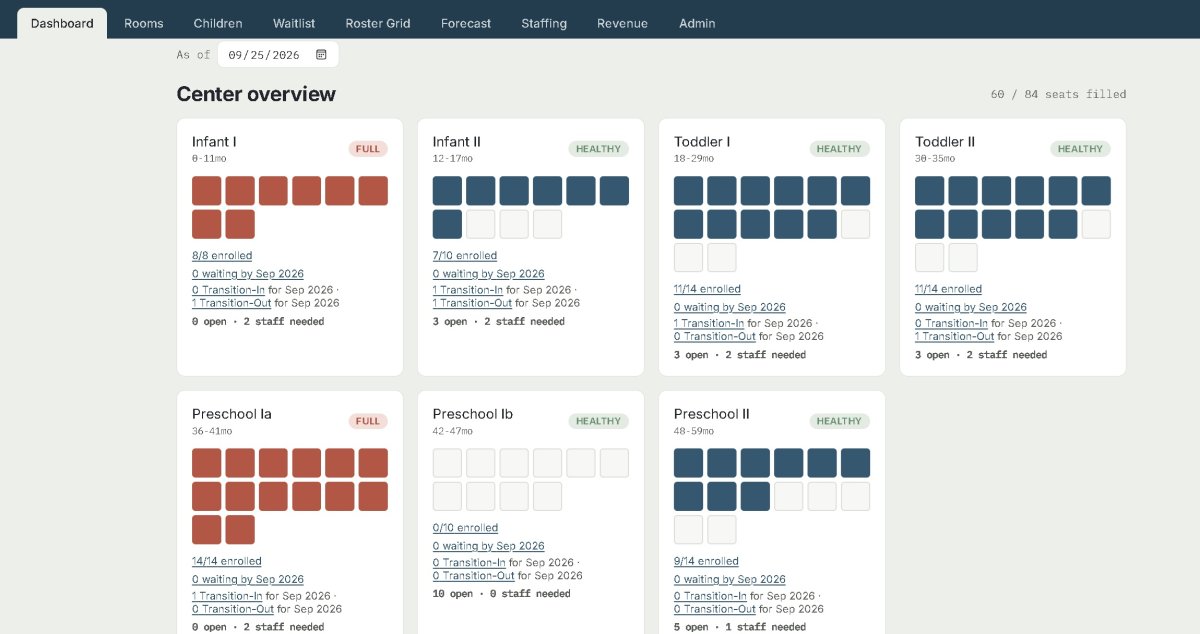
Classroom health at a glance
The moment something needs attention, the dashboard lights up with a clear alert. No digging, no guessing—KiddoGrid keeps every classroom on your radar in real time.
Smart Enrollment Availability & Forecasting
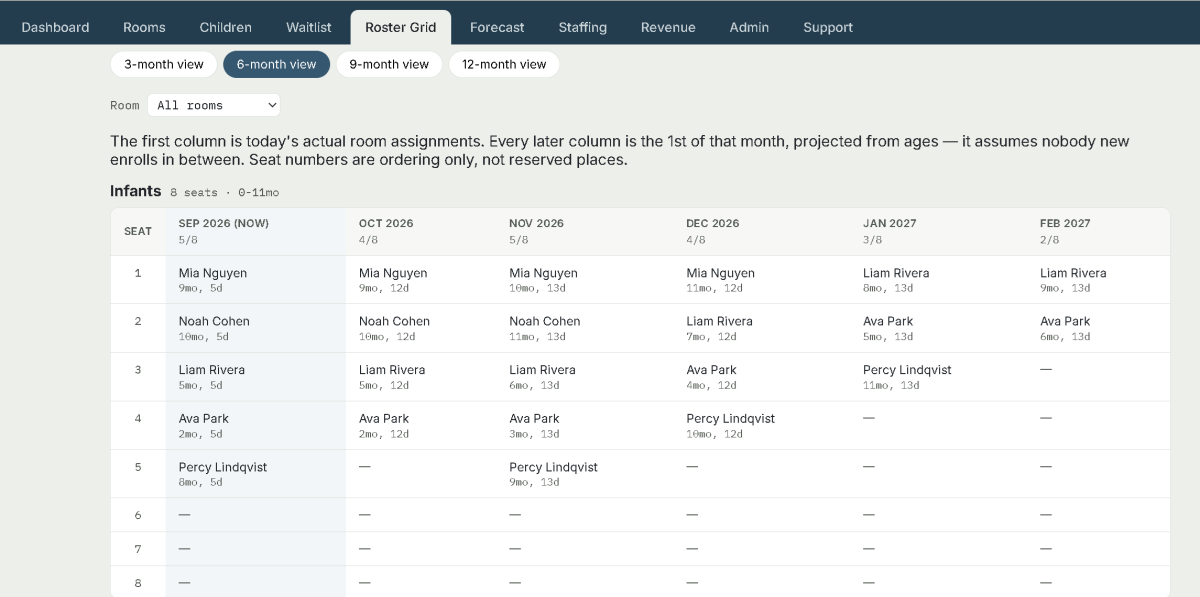
The view most Directors live in. See spot availability months out. Go beyond displaying current classroom openings with our Smart Enrollment Forecasting System. Instead of simply showing “2 Toddler Spots Available,” Directors can view both current and upcoming availability: Toddler Classroom Availability
- 2 spots available now
- 1 additional spot expected September 8
- 3 additional spots expected October 1
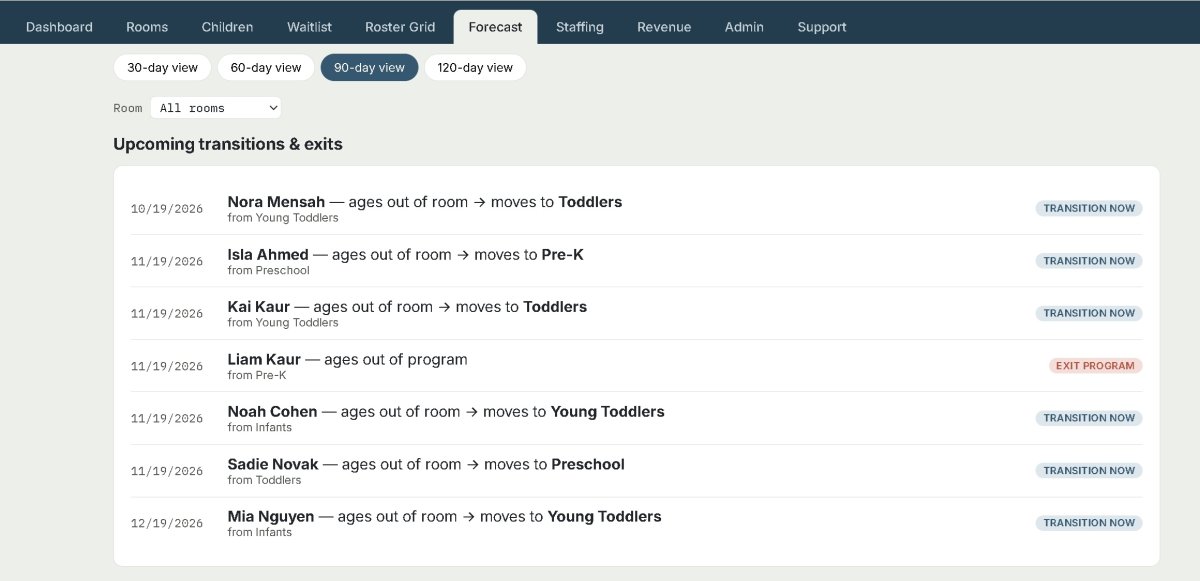
Age-out & transition forecast
Forecasting shows upcoming transitions & exits. Each line names the child, the date, and the move — "ages out of room → moves to Toddlers", or "ages out of program" for a child with no room left to enter. Look ahead 30, 60, 90 or 120 days, and filter to one room.
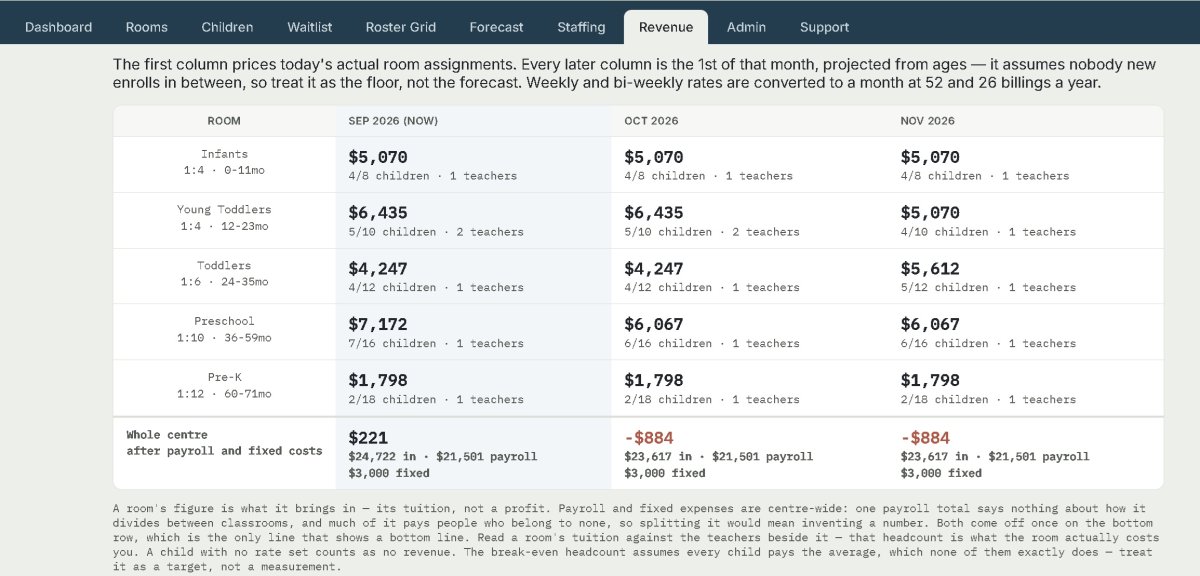
Projected Revenue
The same projection again, this time priced. (Admins only) Each room shows the tuition it brings in for that month, with the children and teachers behind the figure beneath it. The bottom row takes your payroll and fixed costs off the total to give the centre's bottom line. Above the table sits the figure most directors are really after. It's how many children you need to break-even.
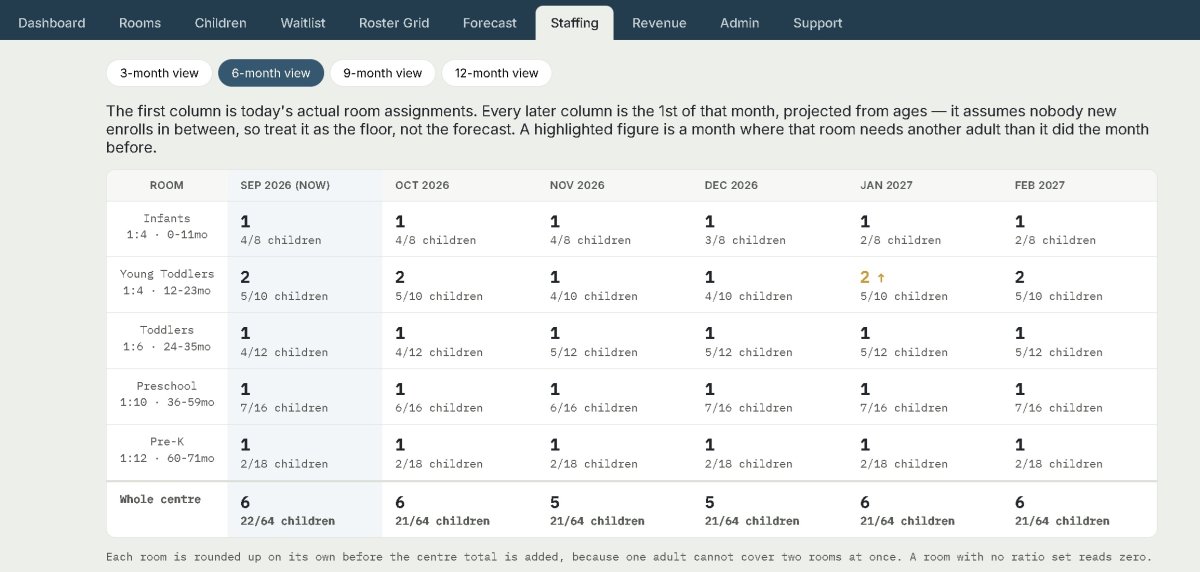
Staffing Needs
Forecasting how many adults each room needs, month by month.is laid out for you in a simple table so you can plan ahead. A figure is highlighted when that room needs more adults than it did the month before. That is the month somebody has to have been hired by — which is the whole reason to read this forward rather than one day at a time..
Room Management Made Effortless
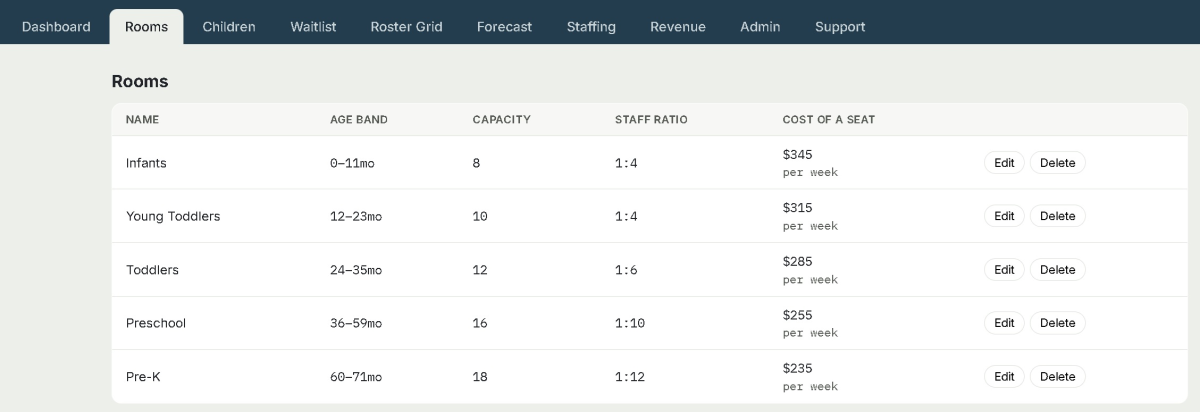
KiddoGrid makes it easy to structure your entire center with precision. Create and manage rooms by age group, set capacity limits, define staff‑to‑child ratios, and assign weekly, bi-weekly, or monthly tuition rates — all from a single streamlined interface.
Automated New Family Intake Form
After a tour, a family fills in your center's New Family Intake Form online — on their own phone from a link you send them, or on your front-desk tablet. Each form arrives in the New Families tab where you fill in the office details, print it, and put the child on the waitlist or enroll them with one click.

Automated Job Applications
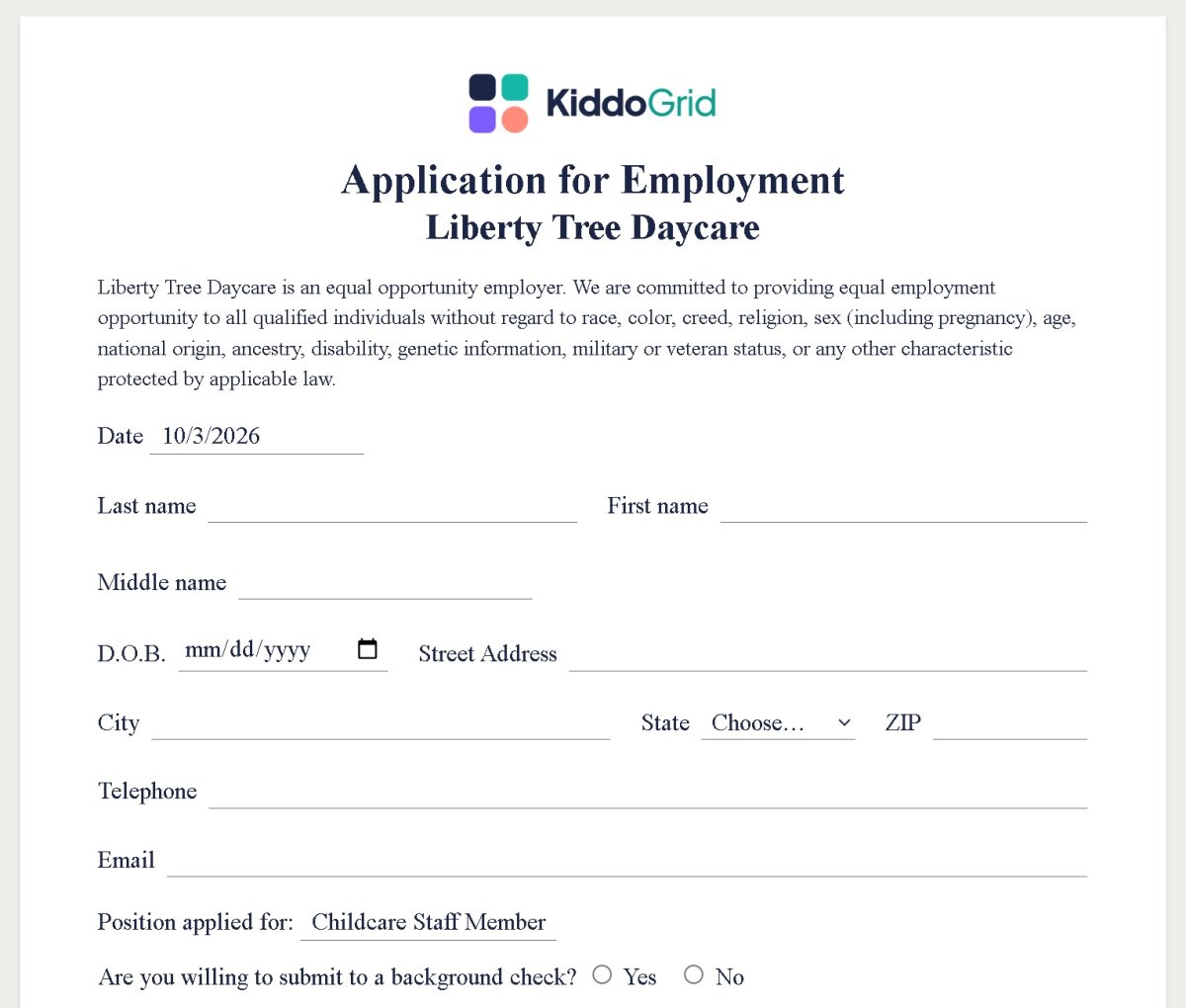
Your center has its own online Application for Employment. A job-seeker opens your link, fills it in on a phone, tablet or computer — no account or password needed — and presses Submit application. It arrives in your Job Applications tab, where you can read it, sort it, add your own comments and print it.
Automated Incident/Injury Report
- No paper, no app. Teachers open your center's own link on any tablet or phone, with nothing to install and no login.
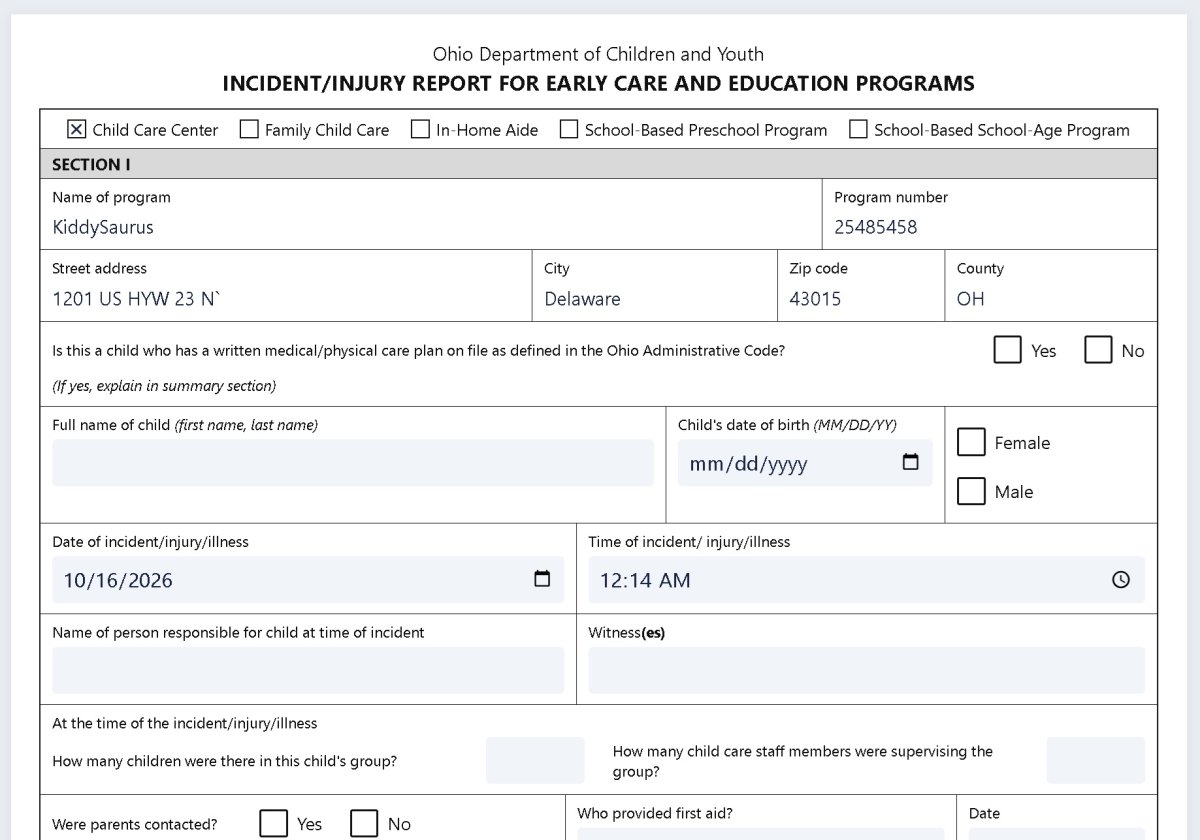
- Detailed incident form. Ohio programs get Ohio's DCY 01299 layout. Every other program gets a general incident/injury form. "Check your state's licensing rules; some states require their own form."
- Reviewed before it's signed. Reports arrive in your Incident Reports tab, where the office can correct them. Each correction records who made it.
- Signed at the front desk. A parent opens their child's report with the child's birthday, reads it and signs with a finger. Once signed, the report can't be changed.
- A copy for the family. If the parent asks, they're emailed a link to a PDF of the report. The link asks for the child's birthday and works for 30 days.
- Prints like the paper form. Each report fits on one letter page.
Smarter enrollment planning for childcare directors
“KiddoGrid has completely changed how we plan at Chubby Cheeks. We’re finally running with fewer empty seats and no spreadsheet chaos. The platform gives us clear visibility into our rooms, ratios, and enrollment trends — all without replacing the childcare management system we already use. It’s truly the planning layer we’ve been missing.”
— Chubby Cheeks Early Education Center, Delaware, Ohio